
Need a new website? Then read on! Because website relaunches often involve more topics and challenges than a website relaunch newbie might think at first glance ... Here we explain the best way to create your new website!
Step 1: The website briefing

A good and detailed agency briefing is the be-all and end-all for the success of your new website. This is where you define your goals, convey the desired content and messages and give the web design agency a feel for the direction they need to take in terms of design. Very important: What technical requirements do you have for your website? This includes, for example, the content management system (CMS), contact options, connections to other tools such as databases, newsletter tools, CRM systems, social media links and Google Analytics.
Should the new website be used for lead generation? What is your budget and time frame?
A good agency will ask the right questions. We recommend that you work with a website briefing checklist so that you can think about this in detail in advance.
And another tip: We always offer our customers who are planning a more extensive website relaunch an orientation workshop in advance. This is because the requirements are often so extensive and come from so many departments that you first have to bundle them in order to be able to create an agency briefing at all! Our customers have had the best experiences with this and have often told us that the investment was really worthwhile and paid for itself many times over thanks to the good planning!
Step 2: Website conception

Now the heart of your new website is created: the concept! This is where, for example, the page structure and the specific sitemap, access points and desired conversions are defined. What are important keywords, how should which target groups or buyer personas be addressed at the various stages of their purchase decision process? The starting point is often an on-page analysis to check the existing website: how is it performing technically, does it offer the right content, what about user guidance?
Step 3: Content

Based on the sitemap (the table of contents and navigation structure), the content for the new website is created in this stage.
This includes not only website texts and blog articles, but also graphics, photos, videos, maps, embedded social media channels such as Instagram or Twitter, newsletter tools, etc.
Step 4: Layout and screen design
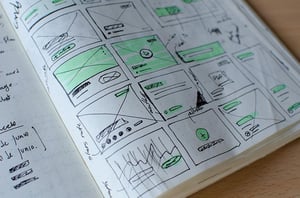
Attention! Many companies and agencies tend to put this step before the content! The problem in this case: "Function Follows Form", you try to adapt content to the design. Instead of arranging content in such a way that it leads to the goal in the best possible way, you have to squeeze it into a prefabricated form ... This often means that many opportunities are lost and potential is wasted, e.g. in lead generation. So: first think about WHAT you want to convey before you start thinking about HOW...
Step 5: Programming and GO-Live
 Now your website comes to life! Depending on whether you opted for a content management system (CMS) such as HubSpot or WordPress at the beginning, everything will be implemented in the CMS of your choice so that you can easily maintain and expand your website yourself later on. Or, if you are not planning to make any major changes, perhaps it will be programmed directly for you. This can take a while, as this phase also involves checking how the website is displayed on different browsers and end devices. Links need to be set and checked, alt texts, titles and meta descriptions need to be assigned so that everything fits in terms of SEO.
Have everyone involved take another look at this stage. Is everyone happy? Then the new website can go live!
Our specialty: Website relaunch in HubSpot CMS
Incidentally, more and more companies are approaching us who previously had their website on WordPress or Typo3 and are now thinking about relaunching it on the HubSpot CMS. If you are already working with HubSpot, we highly recommend the HubSpot CMS! Firstly, everything comes from a single source for seamless lead generation and secondly, you save yourself a few plugins and monthly maintenance costs that are necessary with WordPress. Multilingualism is also easy to implement - HubSpot automatically translates the pages with the help of Breeze and no extra language plugin such as Weglot or WPML is required. What does something like this look like? Like our own website, for example, which runs entirely on HubSpot. Want more customer examples? Then get in touch with us and we'll show you some HubSpot CMS website examples!
Get our eBook on the website relaunch
That was a brief overview of what a website relaunch looks like and the steps involved! That's not enough for you? Then read Mark's free eBook on b2b website relaunch now! In it, we have described the individual steps in detail for you, as well as mistakes to avoid and lots of useful tips!
